
You wrote milk, yogurt buttons and peanuts on your list. You bought all three. You scanned the receipt. And your list still says milk, yogurt buttons and peanuts.
That was the state of things until this week. The receipt was sitting right there, proving what came home in the bags, and the list was ignoring it. Now it does not. Scan a receipt and Alydo offers to tick off the items it can show you bought.
What Actually Happens Now
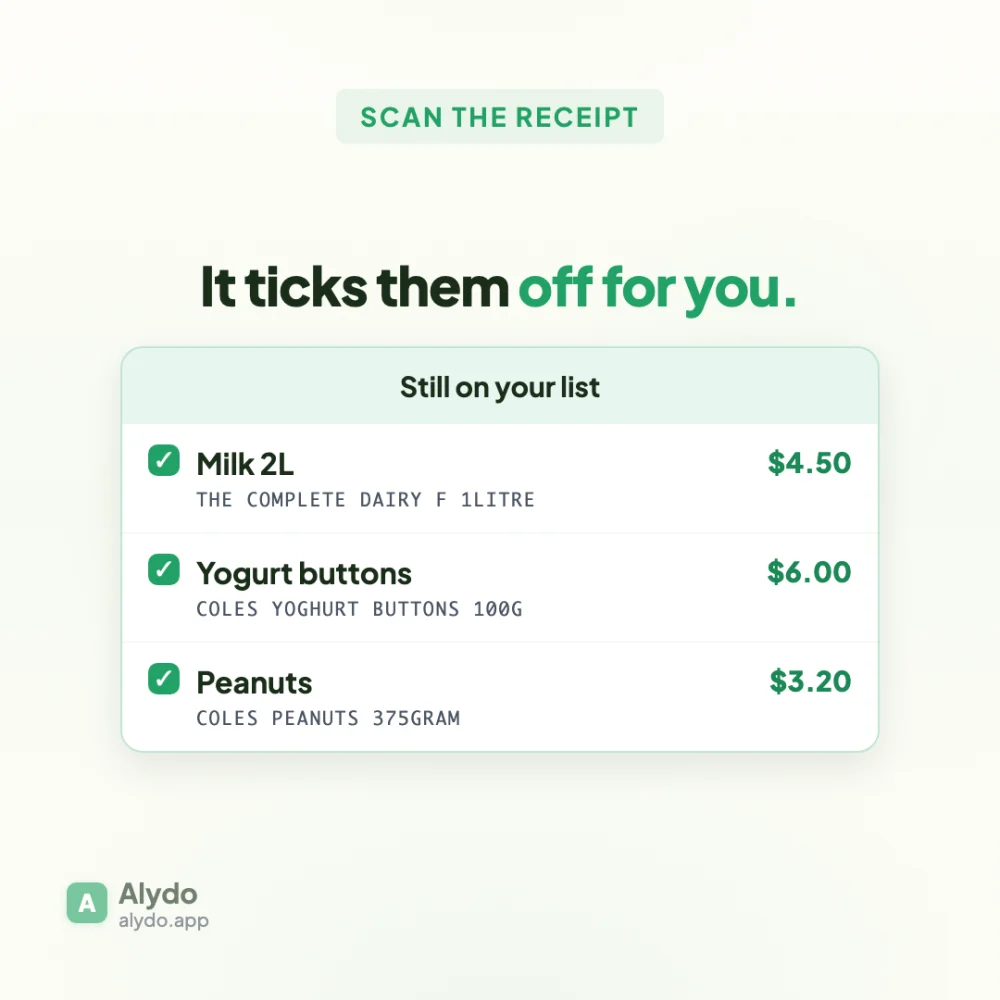
Scan a receipt the way you already do. If anything on your shopping list turns up on that receipt, a card appears before you leave the screen:
- Every match is listed, already selected
- Under each one, the line exactly as the receipt printed it
- The unit price the receipt charged, next to it
One tap ticks them all off. Untick anything you disagree with first. Nothing moves on your list until you say so.
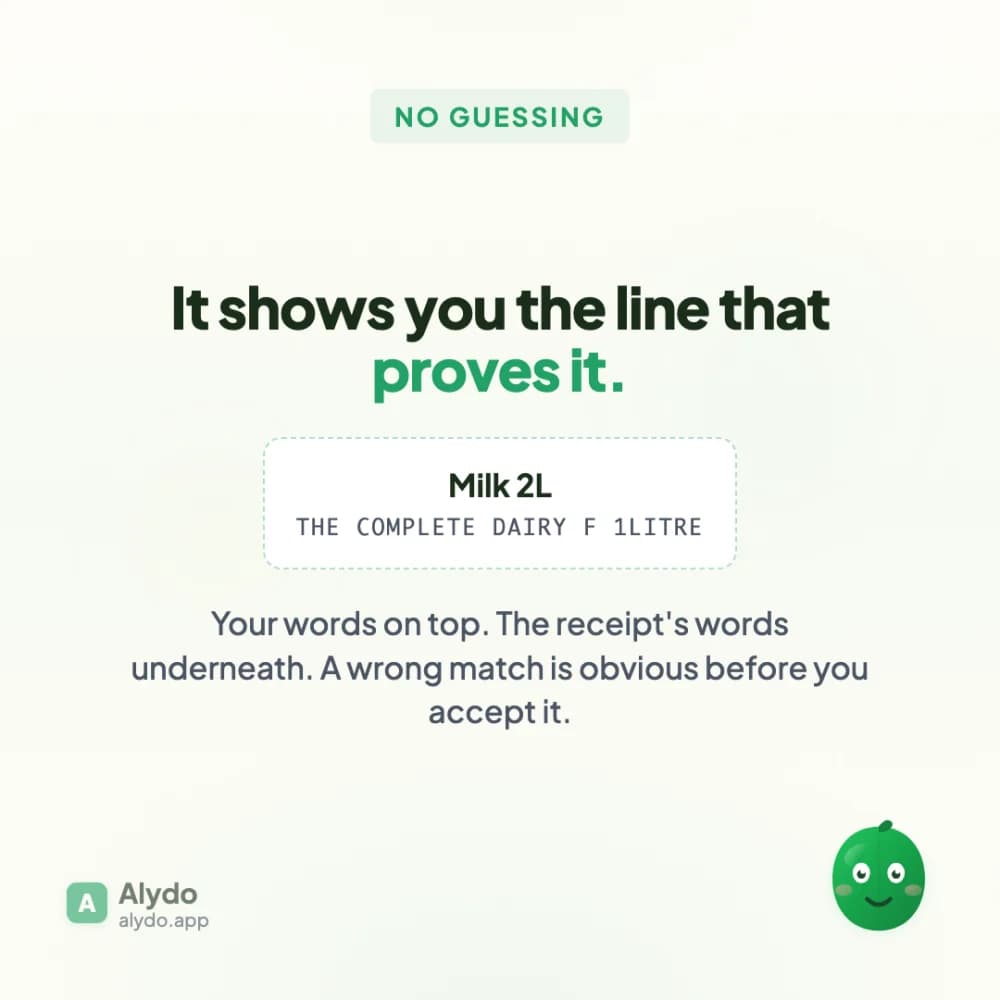
That second line matters more than it looks. The list says Milk 2L because that is what you wrote. The receipt says THE COMPLETE DAIRY F 1LITRE, because that is what Coles printed. Showing both is the difference between asking you to trust the match and letting you check it in a glance.
It Would Rather Miss Than Guess
The matching is deliberately cautious. A missed match costs you one tap. An invented match ticks off something you never bought, and you find out when you get home and the milk is not there. Those two mistakes are not equally bad, so the thresholds are not set evenly.
In practice that means it will occasionally leave something on your list that you did buy. That is the trade we chose on purpose.
Two Things Australian Receipts Do
This looked like a small feature until we ran it against a real Coles receipt, at which point every single line failed to match. Two reasons, both specific to how receipts are printed here.
1. Sizes get spelled out
A receipt line reads COLES PEANUTS 375GRAM, not 375g. Our matcher looks at the last word of a product name to work out what the product actually is, on the reasonable theory that peanut butter is butter and butter chicken is chicken. When it did not recognise GRAM as a size, GRAM survived as the last word, and the matcher decided the product was a gram. Recognising spelled-out sizes fixed an entire receipt at once.
2. Products are named by brand, and often never say what they are
THE COMPLETE DAIRY F 1LITRE is milk. There is no amount of clever text processing that recovers the word milk from that string, because the word is not in it. No shopper needs telling; they know the brand. A matcher does.
The fix came from something we were already doing. When Alydo reads a receipt, it classifies each line into a product type, and it had already worked out that this line was milk. So each line now gets two chances to match: its printed name, or its product type, whichever reads more strongly. The card still shows you the receipt's own wording, so you can see exactly what it matched against.
Where to Find It
Nowhere new. Scan a receipt from the scan screen with items on your shopping list, and the card appears on its own. If you have used Alydo before, you will get a short walkthrough pointing it out the first time it happens.
If it matches something wrongly, untick it and tell us. The thresholds are tuned against real Australian receipts, and the more odd ones we see, the better it gets.
What This Is Building Towards
A shopping list is only useful if it is true. Every manual tick is a chance for it to drift out of date, and a list you do not trust is a list you stop opening. The receipt already knows what you bought. It should be the thing keeping your list honest, not you.
Same idea behind tracking prices from receipts rather than asking you to remember what things used to cost.